


Conservation supplies
PTAD Digital Preservation Storage
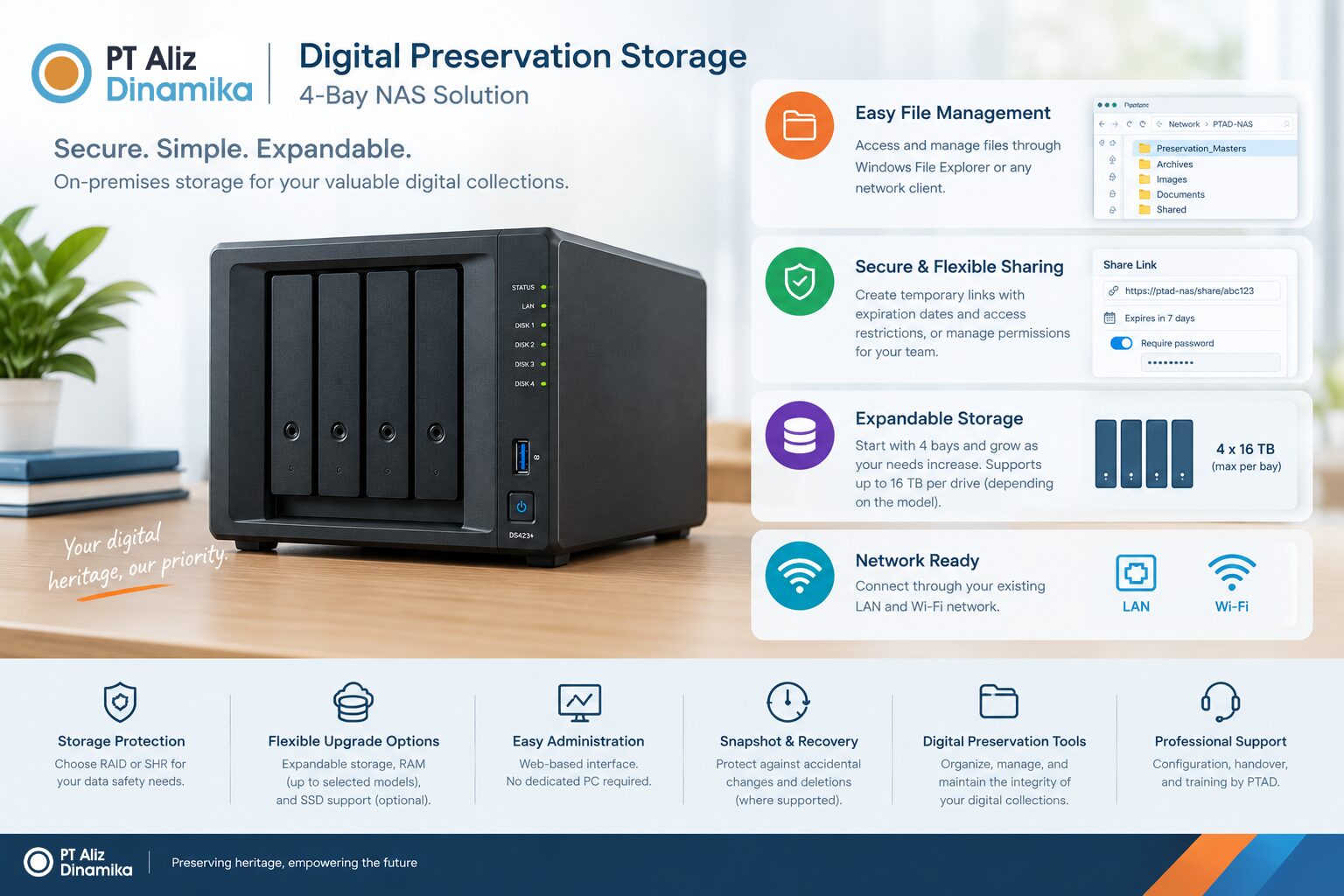
A compact, easy-to-manage on-premises storage solution designed for institutions that need secure file storage, convenient sharing, expandable capacity, and essential digital preservation controls.
A compact, easy-to-manage on-premises storage solution designed for institutions that need secure file storage, convenient sharing, expandable capacity, and essential digital preservation controls.
Contact for price
-
Easy file management
-
On-premises storage
-
Convenient file sharing
-
Expandable configuration
-
Monitoring and maintenance
PTAD Digital Preservation Storage 4-Bay is an on-premises network storage solution designed to simplify the management and protection of digital collections. Built on Synology NAS technology and configured by PT Aliz Dinamika, it enables institutions to store, organize, access, and share digital files through their existing computer network without requiring a dedicated management workstation.
With support for Windows File Explorer access, configurable user permissions, and temporary file-sharing links, the system offers a familiar and efficient file management experience. Its four drive bays allow storage capacity to be configured according to institutional needs, with future expansion options subject to the selected storage configuration and hardware compatibility.
The solution can be configured with RAID-based storage protection, scheduled file integrity verification, system health monitoring, and other preservation-oriented controls. It provides a practical foundation for managing digitized archival collections while maintaining a straightforward upgrade path for institutions with growing storage requirements.
| Specification | Details |
|---|---|
| Product category | On-premises network-attached storage (NAS) |
| Platform | Synology NAS |
| Drive bays | 4 |
| Maximum HDD capacity | Proposed maximum of 16 TB per bay, subject to model and drive compatibility |
| Maximum raw capacity | Up to 64 TB with four 16 TB drives |
| Storage configurations | Basic, RAID, SHR, where supported |
| File system | Btrfs or another filesystem supported by the selected model |
| Network connectivity | Ethernet LAN; 1GbE or faster, depending on model |
| Wi-Fi access | Through the institution’s existing Wi-Fi network |
| File access | SMB shared folders and web-based file management |
| File sharing | Temporary links with configurable restrictions, where supported |
| User management | User accounts, groups, and folder-level permissions |
| Memory | Standard RAM; upgradeable on selected models |
| SSD support | SSD cache or SSD storage pool, depending on model |
| Storage protection | RAID/SHR redundancy, where configured |
| Recovery features | Snapshots and file restoration, where supported |
| Monitoring | Drive health, storage capacity, and system notifications |
| Administration | Web-based interface; no dedicated management PC required |
| Installation | Hardware configuration, initial setup, and operational handover by PTAD |
Archives and records management
- Storage of digitized archival masters, finding aids, and associated metadata.
- Centralized access to digital records for authorized staff.
- Management of historical documents, photographs, maps, and manuscripts.
Libraries and special collections
- Storage of digitized books, periodicals, newspapers, and rare materials.
- Management of master images and derivative access files.
- Internal sharing of digitized collections for research and reference.
Museums and cultural heritage institutions
- Storage of collection photography, documentation, audiovisual files, and digitization outputs.
- Centralized management of digital heritage assets.
- Controlled sharing of selected files with researchers and project partners.
Universities and research institutions
- Storage of research data, project documentation, and digitized institutional collections.
- Shared access for research teams and departments.
- Centralized storage for digitization projects and associated quality-control records.
Digitization service providers
- Storage of master images and project deliverables.
- Centralized file access for operators and quality-control teams.
- File integrity verification during ingest, transfer, and handover workflows.